



















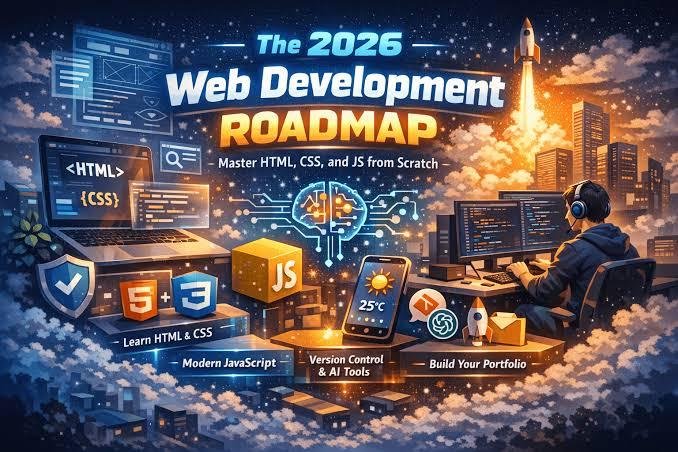

Web development remains one of the most rewarding and in-demand careers in the technology industry. As businesses continue to expand their online presence, the need for skilled developers who can build fast, secure, and user-friendly websites and web applications has never been greater.
The good news is that becoming a web developer no longer requires a computer science degree. With dedication, consistent practice, and access to the right learning resources, anyone can build the skills needed to enter the industry.
This guide outlines a practical roadmap for becoming a professional web developer in 2026, whether your goal is freelancing, joining a startup, working remotely, or launching your own SaaS product.
What Does a Web Developer Do?
A web developer designs, builds, and maintains websites and web applications. Their responsibilities may include:
-
Creating responsive user interfaces
-
Developing server-side applications
-
Designing and managing databases
-
Integrating third-party APIs
-
Optimizing website performance
-
Implementing security best practices
-
Fixing bugs and maintaining existing applications
-
Collaborating with designers and product teams
Depending on their specialization, developers typically work as:
-
Front-End Developers
-
Back-End Developers
-
Full-Stack Developers
-
DevOps Engineers
-
WordPress Developers
-
E-commerce Developers
Step 1: Understand How the Web Works
Before writing code, it's important to understand how websites function.
Learn the basics of:
-
How browsers render web pages
-
The client-server model
-
HTTP and HTTPS
-
Domains and web hosting
-
DNS (Domain Name System)
-
APIs and RESTful services
-
Cookies and sessions
-
JSON data format
Understanding these concepts will make advanced topics much easier to grasp later.
Step 2: Learn HTML
HTML (HyperText Markup Language) forms the structure of every website.
Master concepts such as:
-
Semantic HTML
-
Forms
-
Tables
-
Images
-
Audio and video
-
Accessibility (ARIA)
-
SEO-friendly markup
A strong HTML foundation improves both website performance and search engine visibility.
Step 3: Master CSS
CSS transforms plain HTML into visually appealing websites.
Topics to learn include:
-
Selectors
-
Box model
-
Flexbox
-
CSS Grid
-
Responsive design
-
Media queries
-
Animations
-
Transitions
-
Variables
-
Modern layouts
Practice building responsive pages that work seamlessly across desktops, tablets, and smartphones.
Step 4: Learn JavaScript
JavaScript powers the interactivity of modern websites.
Essential concepts include:
-
Variables
-
Data types
-
Functions
-
Loops
-
Objects
-
Arrays
-
DOM manipulation
-
Events
-
ES6+ features
-
Promises
-
Async/Await
-
Fetch API
-
Modules
Avoid rushing into frameworks before gaining confidence with core JavaScript.
Step 5: Learn Git and GitHub
Version control is an essential skill for every developer.
Learn how to:
-
Initialize repositories
-
Create commits
-
Work with branches
-
Resolve merge conflicts
-
Push code to GitHub
-
Clone repositories
-
Collaborate on open-source projects
Employers expect developers to know Git regardless of experience level.
Step 6: Build Real Projects
Projects demonstrate your ability far better than certificates.
Start with simple applications:
-
Personal portfolio
-
Calculator
-
Weather application
-
To-do list
-
Quiz app
-
Blog website
-
Landing pages
Progress to more advanced projects:
-
E-commerce platform
-
Social media application
-
Chat application
-
Booking system
-
Job portal
-
Learning management system
-
Multi-vendor marketplace
-
Business directory
-
SaaS dashboard
Each project should solve a real problem and showcase clean code, responsive design, and usability.
Step 7: Learn a Front-End Framework
Modern companies rarely build applications using only vanilla JavaScript.
Popular frameworks include:
React
The most widely used JavaScript library for building interactive user interfaces. It has a vast ecosystem and strong demand in the job market.
Next.js
Built on React, Next.js provides server-side rendering, static site generation, routing, and performance optimizations. It is widely used for production-grade applications and SEO-focused websites.
Vue
Vue is known for its simplicity and gentle learning curve, making it an excellent choice for beginners and small to medium-sized projects.
Angular
Angular is a comprehensive framework commonly used for large enterprise applications that require robust architecture and long-term maintainability.
Choose one framework, master it thoroughly, and build multiple real-world projects before exploring others.
Step 8: Learn Back-End Development
Back-end development powers the functionality users don't see.
Key topics include:
-
Authentication
-
Authorization
-
APIs
-
File uploads
-
Email integration
-
Payment processing
-
Database management
-
Security
-
Caching
Popular technologies include:
-
Node.js
-
Express.js
-
PHP
-
Laravel
-
Python
-
Django
-
ASP.NET
-
Java Spring Boot
Choose one ecosystem and become proficient before branching out.
Step 9: Learn Databases
Every dynamic web application needs data storage.
Understand both relational and NoSQL databases.
SQL Databases
-
PostgreSQL
-
MySQL
-
Microsoft SQL Server
NoSQL Databases
-
MongoDB
-
Firebase Firestore
-
Redis (for caching)
Learn how to:
-
Design database schemas
-
Write efficient queries
-
Optimize performance
-
Create indexes
-
Secure sensitive data
Step 10: Learn APIs
Modern applications rely heavily on APIs.
Learn to:
-
Consume REST APIs
-
Build REST APIs
-
Understand GraphQL basics
-
Handle authentication with JWT and OAuth
-
Integrate third-party services
Useful integrations include:
-
Payment gateways
-
Maps
-
Authentication providers
-
SMS services
-
Email platforms
-
AI APIs
Step 11: Learn Authentication and Security
Security is no longer optional.
Study topics such as:
-
Password hashing
-
JWT authentication
-
OAuth
-
Role-based access control
-
HTTPS
-
SQL injection prevention
-
Cross-Site Scripting (XSS)
-
Cross-Site Request Forgery (CSRF)
-
Rate limiting
-
Secure cookies
-
Input validation
Developers who understand security are highly valued by employers.
Step 12: Learn Deployment
A project isn't complete until it's online.
Learn how to deploy applications using platforms such as:
-
Vercel
-
Netlify
-
Railway
-
DigitalOcean
-
AWS
-
Microsoft Azure
-
Google Cloud
Also become familiar with:
-
Linux basics
-
Nginx
-
Docker
-
CI/CD pipelines
-
Environment variables
-
Domain configuration
Step 13: Learn AI-Assisted Development
In 2026, AI is part of the modern developer's workflow.
Use AI to:
-
Generate boilerplate code
-
Explain unfamiliar concepts
-
Identify bugs
-
Refactor code
-
Improve documentation
-
Brainstorm architecture
-
Write unit tests
Remember that AI is a productivity tool—not a replacement for understanding programming fundamentals.
Step 14: Build an Outstanding Portfolio
Your portfolio often serves as your first impression.
Include:
-
Professional biography
-
Skills
-
Featured projects
-
GitHub profile
-
Resume
-
Contact information
-
Testimonials (if available)
-
Technical blog
Showcase projects that demonstrate problem-solving, scalability, and clean design.
Step 15: Start Freelancing
Freelancing provides practical experience and income.
You can offer services such as:
-
Business websites
-
Landing pages
-
Portfolio websites
-
E-commerce stores
-
WordPress customization
-
Website maintenance
-
Bug fixes
-
API integrations
-
Performance optimization
Satisfied clients frequently lead to referrals and long-term contracts.
Step 16: Contribute to Open Source
Open-source contributions help you:
-
Improve coding skills
-
Learn from experienced developers
-
Build credibility
-
Expand your professional network
-
Strengthen your resume
Even fixing documentation or minor bugs is valuable experience.
Step 17: Learn Soft Skills
Technical ability alone isn't enough.
Successful developers also excel at:
-
Communication
-
Problem-solving
-
Teamwork
-
Time management
-
Critical thinking
-
Adaptability
-
Continuous learning
-
Documentation
-
Client communication
These skills often distinguish senior developers from junior developers.
Career Paths in Web Development
After gaining experience, you can specialize in areas such as:
-
Front-End Development
-
Back-End Development
-
Full-Stack Development
-
WordPress Development
-
E-commerce Development
-
DevOps Engineering
-
Cloud Engineering
-
AI Integration
-
SaaS Development
-
Technical Consulting
-
Developer Relations
Each path offers unique opportunities depending on your interests and goals.
Common Mistakes Beginners Should Avoid
Many aspiring developers slow their progress by making avoidable mistakes.
Common pitfalls include:
-
Skipping HTML and CSS fundamentals
-
Jumping between multiple frameworks too quickly
-
Watching tutorials without building projects
-
Ignoring Git and version control
-
Avoiding debugging practice
-
Neglecting responsive design
-
Overlooking security best practices
-
Copying AI-generated code without understanding it
-
Failing to build a portfolio
-
Giving up after early challenges
Consistency and hands-on practice are far more valuable than trying to learn everything at once.
How Long Does It Take to Become a Web Developer?
The timeline depends on your learning pace and consistency.
A realistic estimate is:
-
3–6 months: Learn HTML, CSS, JavaScript, Git, and build simple projects.
-
6–12 months: Master a front-end framework, back-end development, databases, and deployment while creating portfolio-worthy applications.
-
12–18 months: Gain real-world experience through freelancing, internships, open-source contributions, or junior developer roles.
Daily practice is more effective than occasional intensive study sessions.
Final Thoughts
Web development in 2026 is about far more than writing code. Successful developers combine technical expertise with problem-solving, communication, security awareness, and a commitment to continuous learning.
The technology landscape will continue to evolve, but the core principles remain the same: understand the fundamentals, build meaningful projects, embrace modern tools such as AI responsibly, and never stop improving your skills.
Whether your goal is to work remotely, launch your own startup, freelance for clients around the world, or join a leading technology company, the opportunities in web development remain abundant for those willing to invest the time and effort.
Start with the basics, build consistently, and let every project bring you one step closer to becoming the developer you aspire to be.
Frequently Asked Questions (FAQ)
Is web development still a good career in 2026?
Yes. Businesses of all sizes continue to invest in websites and web applications, creating strong demand for developers who can build secure, high-performing, and user-friendly digital experiences.
Do I need a computer science degree?
No. Many successful web developers are self-taught or have completed online courses and coding bootcamps. Employers often value practical skills and a strong portfolio over formal education.
Which programming language should I learn first?
Start with HTML and CSS to understand web structure and styling, then learn JavaScript for interactivity. Once you're comfortable with these fundamentals, choose a back-end language such as JavaScript (Node.js), PHP, or Python.
Should I learn AI tools as a web developer?
Yes. AI can improve productivity by helping with code generation, debugging, documentation, and testing. However, it's essential to understand the underlying concepts rather than relying on AI for every solution.
What is the best way to get your first web development job?
Build a portfolio with real projects, maintain an active GitHub profile, contribute to open-source projects, network with other developers, and apply consistently for internships, freelance work, and junior developer positions.