


Solution Hub Groups Pages Market Events Blogs Funding Offers Jobs Courses Movies Games Merits
 Terms and Conditions
 Legal & Business Law Agreement
 Child Safety & Policy
 App Installation Guide
 User Guide Page
 Investors & Partnership agreement
 Flowisetech ambassador policy
 About Us
 Flowisetech Earning Guide
 Terms of Use
 Privacy Policy
 Help
Help
 FAQs
FAQs
 Community Guidelines
 Our Purpose
 Withdrawal Terms
 Verification Terms
 Community Policy
HTML vs CSS vs JavaScript: What's the Difference?
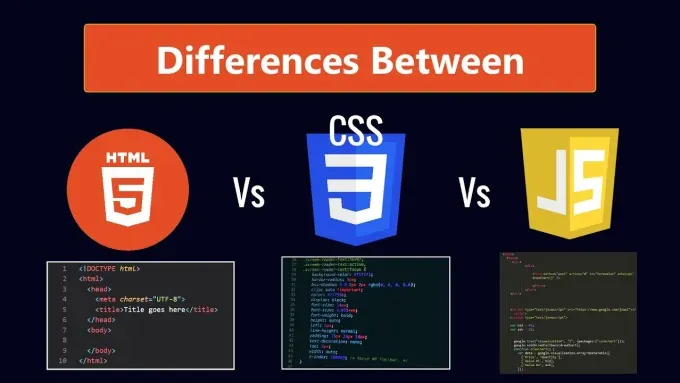
If you're just beginning your web development journey, you've probably heard about HTML, CSS, and JavaScript. These three technologies are the foundation of almost every website and web application on the internet. From simple personal blogs to complex platforms like Facebook, YouTube, Amazon, and Netflix, they all rely on this powerful trio.
For beginners, it can be confusing to understand what each one does. Do they perform the same job? Why do you need all three? Can you build a website with just HTML?
In this guide, we'll break down HTML, CSS, and JavaScript in simple terms, explain how they work together, and help you understand why every aspiring web developer should master them.
The Three Pillars of Web Development
Think of building a website like constructing a house.
-
HTML is the structure of the house—the walls, doors, roof, and rooms.
-
CSS is the design and decoration—the paint, furniture, flooring, and lighting.
-
JavaScript is the functionality—the electricity, plumbing, automatic doors, security system, and smart home features.
Without one of these components, the house would either be incomplete, unattractive, or unusable.
The same principle applies to websites.
What Is HTML?
HTML (HyperText Markup Language) is the standard language used to create the structure and content of web pages.
It tells the browser what elements exist on a page, such as:
-
Headings
-
Paragraphs
-
Images
-
Links
-
Lists
-
Tables
-
Forms
-
Videos
HTML doesn't make your website look attractive—it simply provides the framework.
Example
<!DOCTYPE html>
<html>
<head>
    <title>My Website</title>
</head>
<body>

<h1>Welcome to My Website</h1>

<p>This is my first webpage.</p>

<button>Click Me</button>

</body>
</html>
Without CSS, this webpage will appear very plain because browsers apply only basic default styling.
What Is CSS?
CSS (Cascading Style Sheets) controls the appearance and layout of your website.
It determines how HTML elements should look.
With CSS, you can change:
-
Colors
-
Fonts
-
Sizes
-
Backgrounds
-
Margins
-
Spacing
-
Animations
-
Responsive layouts
-
Shadows
-
Borders
CSS transforms a plain webpage into a visually appealing experience.
Example
body {
    background: #f4f4f4;
    font-family: Arial, sans-serif;
}

h1 {
    color: #145bb8;
}

button {
    background: #145bb8;
    color: white;
    padding: 12px 20px;
    border: none;
    border-radius: 5px;
}
The HTML remains the same, but the page now has a polished and professional appearance.
What Is JavaScript?
JavaScript is the programming language that makes websites interactive and dynamic.
It enables a webpage to respond to user actions and update content without requiring a full page reload.
JavaScript powers features such as:
-
Dropdown menus
-
Image sliders
-
Pop-up windows
-
Form validation
-
Live search
-
Shopping carts
-
Dark mode
-
Notifications
-
Games
-
Interactive maps
Without JavaScript, websites would be mostly static.
Example
const button = document.querySelector("button");

button.addEventListener("click", function () {
    alert("Welcome to FlowiseTech!");
});
Now, clicking the button displays a message to the user.
How They Work Together
Imagine building a login page.
HTML creates the structure.
<h2>Login</h2>

<input type="email">

<input type="password">

<button>Login</button>
CSS styles the page.
button {
    background: blue;
    color: white;
}
JavaScript adds functionality.
button.addEventListener("click", function(){

    alert("Logging in...");

});
Together they create a complete user experience.
A Real-World Example
Consider an online shopping website.
HTML
Creates:
-
Product images
-
Product titles
-
Prices
-
Add-to-cart buttons
CSS
Makes everything look professional by adding:
-
Product cards
-
Attractive buttons
-
Responsive layouts
-
Hover effects
-
Proper spacing
JavaScript
Handles actions like:
-
Adding products to the cart
-
Updating totals instantly
-
Searching products
-
Filtering categories
-
Applying coupons
-
Processing checkout
Without JavaScript, customers couldn't interact with the store effectively.
Key Differences
| HTML | CSS | JavaScript |
|---|---|---|
| Creates structure | Adds design | Adds functionality |
| Markup language | Style sheet language | Programming language |
| Defines page content | Controls appearance | Controls behavior |
| Static | Visual | Interactive |
| Easy to learn | Moderate | More challenging |
Each technology has a distinct role, and together they form the foundation of modern web development.
Can You Build a Website with Only HTML?
Yes—but it will be very basic.
An HTML-only website can display:
-
Text
-
Images
-
Links
-
Lists
-
Tables
However, it won't have modern styling or interactive features. Most websites today combine HTML with CSS for presentation and JavaScript for dynamic behavior.
Which One Should You Learn First?
The recommended learning path is:
1. HTML
Start by understanding:
-
Elements
-
Tags
-
Headings
-
Paragraphs
-
Links
-
Images
-
Lists
-
Tables
-
Forms
This teaches you how webpages are structured.
2. CSS
Once you're comfortable with HTML, move on to CSS and learn:
-
Colors
-
Fonts
-
Box model
-
Positioning
-
Flexbox
-
CSS Grid
-
Responsive design
-
Media queries
-
Transitions and animations
This allows you to create attractive, mobile-friendly websites.
3. JavaScript
After mastering HTML and CSS, begin learning JavaScript.
Focus on:
-
Variables
-
Data types
-
Functions
-
Conditions
-
Loops
-
Arrays
-
Objects
-
DOM manipulation
-
Events
-
Fetch API
-
ES6 features
JavaScript opens the door to creating powerful web applications.
Why Modern Websites Need All Three
Today's users expect websites to be fast, responsive, and interactive.
Imagine logging into a website where:
-
Buttons don't respond
-
Menus don't open
-
Forms can't be submitted
-
Shopping carts don't update
-
Search doesn't work
That's what a website without JavaScript would feel like.
Similarly, a site without CSS would look plain and difficult to use, while a site without HTML wouldn't have any meaningful structure at all.
Each technology solves a different problem, making all three essential.
Common Beginner Mistakes
Many new developers make these mistakes:
-
Trying to learn JavaScript before understanding HTML.
-
Ignoring CSS because it seems "just for design."
-
Mixing HTML, CSS, and JavaScript into one file instead of organizing them properly.
-
Skipping responsive design and accessibility.
-
Memorizing code without building real projects.
The best way to learn is by creating small projects that combine all three technologies.
What's Next After Learning HTML, CSS, and JavaScript?
Once you're confident with the basics, you can explore modern tools and frameworks such as:
-
React
-
Next.js
-
Vue.js
-
Angular
-
Tailwind CSS
-
Bootstrap
-
Node.js
-
Express.js
These technologies build on the knowledge you've gained from HTML, CSS, and JavaScript, making it easier to create large-scale, feature-rich applications.
Final Thoughts
HTML, CSS, and JavaScript are the building blocks of the modern web. HTML provides the structure, CSS brings that structure to life with design, and JavaScript adds the interactivity users expect from today's websites.
If you're serious about becoming a web developer, don't rush through these fundamentals. Invest time in understanding how each technology works individually and how they complement one another. A solid grasp of these core skills will make learning advanced frameworks and backend technologies much easier.
Every professional web developer—from freelancers to engineers at the world's biggest tech companies—started with HTML, CSS, and JavaScript. Master these three, build real projects, and you'll have a strong foundation for a successful career in web development.
Categories
- Make Money
- Product Review
- Social Media
- Excel
- Graphics design
- Freelancing/Consulting
- E-commerce and Digital Marketing
- Business
- Self Development
- Tips to Success
- Video Editing
- Photo Editing
- Website Promotion
- YouTube
- Computer
- Phone
- Music
- Spirituality & Faith
- School
- Tech & Digital
- Gaming
- News
- Digital Economy / Technology
- Relationship
- Real Estate
- Creative Arts & Design
- Medical
- Causes
- Networking
Read More
Data analysis is the process of inspecting, cleaning, transforming, and modeling data to discover useful information, draw conclusions, and support decision-making. It is a fundamental skill in various fields, including business, science, healthcare, and engineering, as it allows professionals to make informed choices based on empirical evidence. Here’s a breakdown of key concepts...

A CV can tell people what you have studied, where you have worked, and what skills you claim to have. But a portfolio can show them what you can actually do. For developers, designers, writers, marketers, and other professionals whose work can be demonstrated, this difference matters. Anyone can write, "I am a skilled web developer" on a CV. A portfolio can demonstrate it. Anyone can list...

There’s a moment almost every beginner reaches. You’ve tried to learn something—maybe coding, design, or another digital skill. At first, it felt exciting. You imagined what your life could look like if you got it right. But now, things feel different. You’re confused.Nothing seems to stick.You’re not sure if you’re even learning the right thing anymore....
In today’s fast-paced and often overwhelming world, maintaining mental health and emotional wellness isn’t just a luxury—it’s a necessity. Life brings stress, challenges, and unexpected turns, but developing resilience and nurturing your inner self can help you not only survive but truly thrive. Let’s explore three powerful areas that support this journey:...

How Digital Access Is Reshaping the Future for a Young Continent Africa is not poor in people, ideas, or ambition.It has always been limited by access. Today, the internet is changing that—quietly but powerfully. For the first time in history, African youth can compete, create, and earn on the same digital stage as anyone else in the world. This is why the internet is not just a tool...