


, Check Verification Solution Hub Groupes Pages Marketplace Evènements Blogs Financement Offres Emplois Courses Film Jeux Merits
 Terms and Conditions
 Legal & Business Law Agreement
 Child Safety & Policy
 App Installation Guide
 User Guide Page
 Investors & Partnership agreement
 About Us
 Flowisetech Earning Guide
 Terms of Use
 Politique de confidentialité
 Help
Help
 FAQs
FAQs
 Community Guidelines
 Our Purpose
 Withdrawal Terms
 Verification Terms
 Community Policy
iPhone Charging, Battery & eSIM Explained: What Every iPhone User Should Know
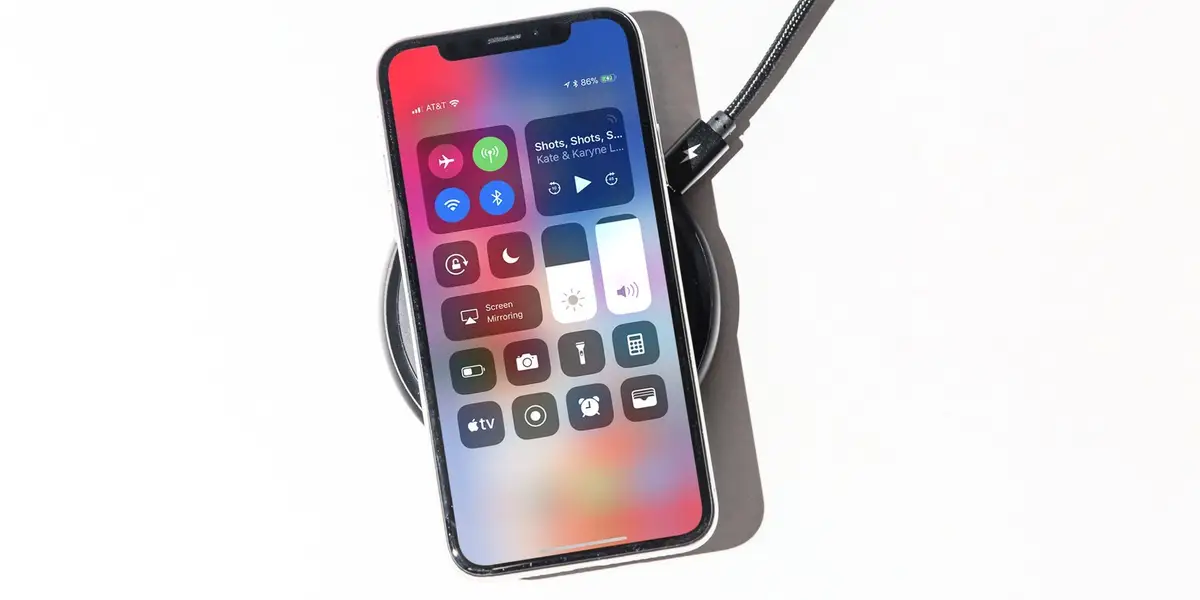
iPhones are known for their performance, security, and long-term reliability. However, many users still worry about battery life, slow charging, and features like eSIM. If you’ve ever asked questions like “Why does my iPhone charge slowly after 90%?” or “Is eSIM safe to use?”, this guide is for you.
In this article, we explain how iPhones charge, how to protect battery health, and how eSIM works, using simple and clear language.
Why iPhones Charge Fast at First and Slow Later
One of the most common questions iPhone users ask is why charging slows down after 80% or 90%.
The simple answer:
👉 Apple designs iPhones to protect battery health.
How iPhone charging works:
-
0% – 50% → Very fast charging
-
50% – 80% → Fast charging
-
80% – 90% → Slower charging
-
90% – 100% → Very slow (on purpose)
This process is called trickle charging, and it prevents overheating and long-term battery damage.
🔋 Important:
Slow charging near 100% is a good sign, not a problem.
Is It Normal for iPhone to Charge Slowly After 90%?
Yes — it is completely normal.
Even with a 20W or 25W fast charger, your iPhone will slow down charging when the battery is almost full. This helps:
-
Extend battery lifespan
-
Reduce heat
-
Prevent battery swelling
If your iPhone charges fast up to 80% and slows down after that, your battery system is working correctly.
Best Charging Practices for iPhone Users
To keep your iPhone battery healthy for years, follow these tips:
✅ Do this:
-
Use original or certified chargers
-
Keep battery between 20% and 80% when possible
-
Enable Optimized Battery Charging
-
Charge in a cool environment
❌ Avoid this:
-
Charging under pillows or heat
-
Using cheap or fake chargers
-
Playing heavy games while charging
Does Using a 25W Charger Damage iPhone?
No.
A 25W charger is safe for iPhones.
iPhones only draw the power they need (usually around 18–20W). The charger does not force power into the phone.
✔ Fast
✔ Safe
✔ Battery-friendly
Wi-Fi vs Cellular Data: Which Saves Battery?
If battery life matters to you, this is important.
Battery usage comparison:
-
Strong Wi-Fi (Best)
-
Strong cellular data (4G LTE)
-
Weak Wi-Fi
-
Weak cellular signal (Worst)
📶 Tip:
Use Wi-Fi when available and cellular data when moving.
What Is eSIM and Does iPhone Support It?
Yes, many iPhones support eSIM, including:
-
iPhone XS / XS Max
-
iPhone 11, 11 Pro, 11 Pro Max
-
Newer iPhone models
What eSIM does:
-
Allows a second phone line without a physical SIM
-
Useful for travel, business, or backup numbers
-
Supports dual SIM (physical SIM + eSIM)
⚠️ Only one eSIM can be active at a time on older iPhones.
Is eSIM Safe to Use?
Yes. eSIM is:
-
Secure
-
Approved by Apple
-
Used by major carriers worldwide
It cannot damage your phone or battery.
Final Thoughts
Apple designs iPhones to prioritize safety, performance, and long-term battery health. Slow charging near 100%, eSIM availability, and smart power management are all intentional features.
If your iPhone:
-
Charges fast up to 80%
-
Slows down after 90%
-
Works well on Wi-Fi
-
Supports eSIM
👉 Your device is working exactly as it should.
Want more iPhone tips?
Bookmark this site and check back for:
-
iPhone battery optimization guides
-
iOS settings tutorials
-
eSIM and network tips
-
iPhone troubleshooting solutions
📱✨ Smart iPhone usage starts with the right knowledge.
Catégories
- Make Money
- Product Review
- Social Media
- Excel
- Graphics design
- Freelancing/Consulting
- E-commerce and Digital Marketing
- Business
- Self Development
- Tips to Success
- Video Editing
- Photo Editing
- Website Promotion
- YouTube
- Computer
- Téléphone
- Music
- Spirituality & Faith
- École
- Tech & Digital
- Gaming
- News
- Digital Economy / Technology
- Relation
- Creative Arts & Design
- Medical
- Causes
- Networking
Lire la suite
To set the text color for the navigation bar in your Android Studio project, you can modify it using XML styles or programmatically in your Java/Kotlin code. Here's how you can do it: 1. Using XML Styles You can customize the colorPrimary, colorOnPrimary, or action bar text color in your res/values/themes.xml or styles.xml file. <resources> <style name="AppTheme"...
One of the most dangerous lies we tell ourselves is: “I have to have everything figured out before I start.” It’s a trap. Very few people ever have life fully mapped out—and those who pretend they do are usually improvising behind the scenes. The truth is simple: you don’t need to know everything, but you do need a direction. Why Direction Matters More...
Self-confidence plays a powerful and often underestimated role in shaping a student's academic journey. It is the belief in one’s own abilities to accomplish tasks and reach goals. When students believe in themselves, they are more likely to face academic challenges with resilience, take risks in learning, and ultimately succeed. Below is a descriptive breakdown of how self-confidence...

When you picture Newport, you might think of the Transporter Bridge, thriving local businesses, and a town that knows how to blend tradition with innovation. But here’s the thing: even the most iconic Newport brands need one thing to thrive online—visibility. And that’s where a killer SEO strategy comes in. If you’re looking for an SEO agency in Newport, buckle up. This...

Innovation is everywhere—at least in theory.Nearly every organization claims to champion it, fund it, or lead the charge. But in the race to unveil the next big thing, many companies overlook a critical question: Why are we innovating at all?And when innovation becomes detached from purpose, it inevitably loses its power. The Seduction of “New” for Its Own Sake There’s...