



















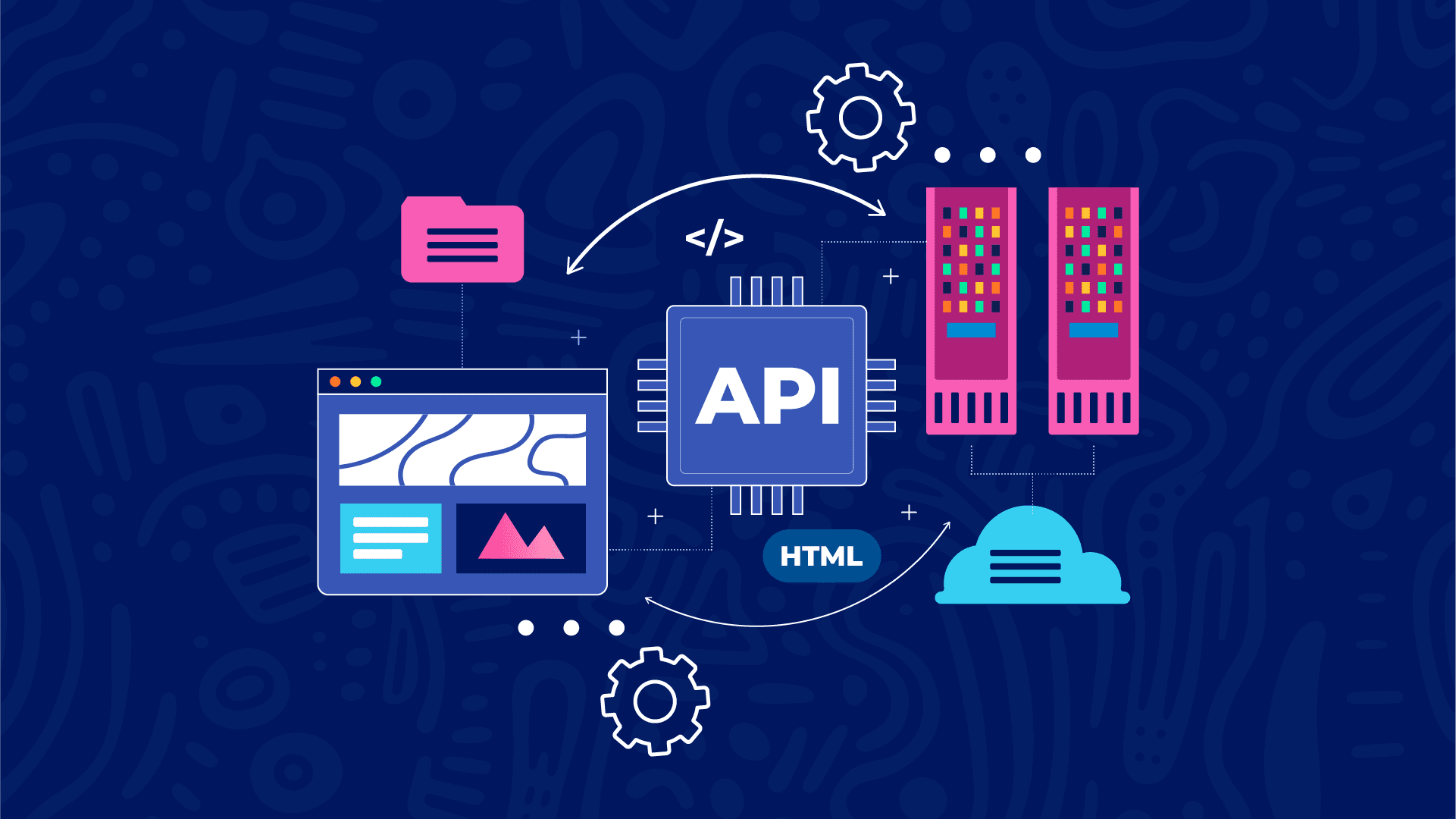
How APIs Connect Different Software Applications: Understanding the Technology Behind Modern Integration

Modern technology is built around interconnected systems. A mobile application can communicate with a website, an online store can connect to a payment gateway, and a social networking platform can exchange information with external services.
These interactions happen so seamlessly that users rarely think about the technology making them possible.
For example, when you purchase a product online, several independent systems may work together behind the scenes. The shopping platform manages your order, a payment provider processes the transaction, an inventory system updates product availability, and a notification service sends you a confirmation message.
But how do these different applications communicate when they may have been developed by different companies, written in different programming languages, and hosted on completely separate servers?
One of the most important technologies that makes this possible is the Application Programming Interface (API).
APIs provide standardized communication mechanisms that allow software applications to exchange information, request services, and coordinate operations without needing direct access to one another's internal code.
In this article, we will explore how APIs connect different software applications, how communication takes place, the technologies involved, real-world integration examples, and why APIs are essential to modern software development.
1. Understanding Software Communication
To understand how APIs connect applications, it is important to understand why software systems need to communicate in the first place.
Most modern applications are built to perform specific functions.
For example:
-
A payment application processes financial transactions.
-
An email service delivers electronic messages.
-
A mapping application provides location information.
-
A cloud storage service stores and retrieves files.
-
A social networking platform manages users and interactions.
-
An authentication service verifies user identities.
Instead of developing every feature independently, software developers can connect their applications to existing services.
This approach allows different systems to share responsibilities and work together.
However, applications cannot automatically understand one another. They need an agreed method of communication.
This is where APIs become important.
An API defines how one application can request information or functionality from another application.
It specifies the available operations, required parameters, authentication requirements, and expected responses.
In simple terms, an API acts as a communication interface between independent software systems.
2. How APIs Connect Two Different Applications
Imagine developing an online shopping application that needs to retrieve product information from an external inventory management system.
The shopping application does not need to know how the inventory system stores its records or how its internal software is written.
It only needs to understand how to communicate with the inventory system's API.
The communication process generally follows these steps.
Step 1: The First Application Initiates a Request
The first application, commonly called the client, needs information or functionality from another system.
For example, a shopping website may need to retrieve the current price and availability of a particular product.
It sends a request to the API endpoint provided by the inventory system.
Step 2: The API Receives the Request
The API receives the incoming request and checks whether it follows the expected communication format.
It may examine:
-
The requested endpoint.
-
The HTTP method.
-
Required parameters.
-
Authentication credentials.
-
Request headers.
-
Submitted information.
If the request is invalid or unauthorized, the API may reject it.
Step 3: The Receiving Application Processes the Request
The API connects the request to the appropriate functionality within the receiving application.
The backend may retrieve information from a database, execute business logic, or communicate with another internal service.
For example, the inventory system checks its database to determine whether the requested product is available.
Step 4: The API Returns a Response
After processing the request, the receiving application returns a response through its API.
The response may contain product information, an error message, or a confirmation that an operation was completed.
Step 5: The First Application Uses the Returned Information
The original application receives the response and uses the information to update its interface or perform another operation.
For example, the shopping website displays the latest product price and stock availability.
This communication process allows two independent applications to work together without sharing their internal implementation.
3. Understanding the Technologies That Make API Communication Possible
APIs can use different communication protocols and data formats.
However, modern web applications frequently use HTTP or HTTPS to exchange information.
Several technologies work together to make these interactions possible.
A. HTTP and HTTPS
HTTP stands for Hypertext Transfer Protocol.
It is a communication protocol used to transfer information between clients and servers.
When an application sends an API request over HTTP, it communicates with the server using defined request methods and response formats.
HTTPS adds Transport Layer Security (TLS), helping encrypt communication between the client and server.
This is particularly important when applications exchange passwords, authentication tokens, personal information, or financial data.
B. JSON
JSON stands for JavaScript Object Notation.
It is a lightweight data format commonly used to exchange information between applications.
For example, a student management application may request information from an external learning platform.
The API could return:
{
  "student_id": 101,
  "name": "John",
  "email": "john@example.com",
  "course": "Web Development",
  "status": "active"
}
The receiving application can process this information regardless of whether it was developed using PHP, Python, JavaScript, Java, or another programming language.
This interoperability is one of the major advantages of APIs.
C. API Endpoints
An API endpoint is a specific address through which an application accesses a particular resource or functionality.
For example, a payment service may provide endpoints such as:
/api/payments
/api/transactions
/api/customers
/api/refunds
Each endpoint serves a particular purpose.
Developers use the endpoint documentation to understand what information must be submitted and what response to expect.
D. HTTP Methods
HTTP methods specify the type of operation an application wants to perform.
Common methods include:
-
GET: Retrieve information.
-
POST: Submit information or create a resource.
-
PUT: Replace an existing resource.
-
PATCH: Update selected fields.
-
DELETE: Request the removal of a resource.
These methods help establish consistent communication between applications.
4. Real-World Example: How an Online Payment API Connects Applications
One of the clearest examples of API integration is online payment processing.
Imagine a customer purchasing a product from an e-commerce website.
The shopping website and the payment provider are separate applications.
The shopping website manages products and orders, while the payment provider handles payment processing.
An API connects these systems.
Here is how the process works.
Step 1: The Customer Places an Order
The customer selects a product, adds it to the shopping cart, and proceeds to checkout.
The shopping application calculates the total amount payable.
Step 2: The Shopping Application Sends a Payment Request
The backend sends a request to the payment provider's API.
The request may include:
-
Transaction reference.
-
Payment amount.
-
Customer email.
-
Currency.
-
Callback or return URL.
-
Additional transaction information.
Step 3: The Payment Provider Processes the Request
The payment provider validates the request and creates a payment session or transaction.
It returns information that allows the customer to proceed with payment.
Step 4: The Customer Completes Payment
The customer is directed to the payment provider's checkout interface or uses an approved payment integration.
The payment provider communicates with the relevant financial infrastructure to process the transaction.
Step 5: The Payment Provider Notifies the Shopping Application
After processing the transaction, the provider may send a server-to-server notification known as a webhook.
The shopping application's backend receives the notification and verifies that it is authentic.
Step 6: The Shopping Application Updates the Order
After independently verifying the transaction status, the shopping application updates the order.
If payment is confirmed, the order can be marked as paid.
The customer may then receive an order confirmation.
This entire integration allows two independent platforms to work together without requiring the shopping website to build its own payment infrastructure.
5. What Are Webhooks and How Do They Connect Applications?
Not all API communication begins with an application sending a request and waiting for a response.
Sometimes, one application needs to notify another application when an event occurs.
This is where webhooks become useful.
A webhook is an HTTP-based mechanism through which an application sends an automatic notification to another system when a specified event occurs.
For example, imagine an online learning platform connected to a payment service.
When a student successfully pays for a course, the payment provider can send a webhook notification to the learning platform.
The notification may contain information such as:
-
Transaction reference.
-
Payment status.
-
Customer information.
-
Transaction amount.
-
Event type.
The learning platform receives the notification and performs the appropriate action.
For example, it may activate the student's course access.
API Requests vs Webhooks
Although APIs and webhooks are related, they serve different communication patterns.
| Feature | API Request | Webhook |
|---|---|---|
| Communication | Request and response | Event notification |
| Initiated by | Client application | Event-producing application |
| Timing | When requested | When a subscribed event occurs |
| Common purpose | Retrieve or modify information | Notify another system |
| Example | Check payment status | Notify a store that payment succeeded |
In practice, applications often combine both approaches.
For example, a webhook may notify a website that a payment event occurred, while the website uses the payment provider's API to retrieve the authoritative transaction details.
Webhooks should be protected through signature verification, replay protection where appropriate, and secure endpoint configurations.
6. How Different Programming Languages Communicate Through APIs
One of the most powerful features of APIs is that applications do not need to use the same programming language.
For example:
-
A frontend may be developed using JavaScript.
-
A backend may be written in PHP.
-
A payment service may use Java.
-
A database system may run on a different technology.
-
A mobile application may be developed using Kotlin or Swift.
These systems can communicate because APIs establish a shared interface.
Consider a JavaScript application requesting information from a PHP backend.
The JavaScript frontend can send an HTTP request:
fetch("https://example.com/api/users/101")
  .then(response => {
    if (!response.ok) {
      throw new Error("Request failed");
    }

    return response.json();
  })
  .then(data => {
    console.log(data);
  })
  .catch(error => {
    console.error(error);
  });
The PHP backend can process the request and return JSON:
<?php

header("Content-Type: application/json");

$user = [
    "id" => 101,
    "name" => "John",
    "email" => "john@example.com"
];

echo json_encode($user);
The JavaScript application does not need to understand PHP.
It only needs to understand the HTTP response and the JSON structure returned by the API.
This makes APIs essential for building applications using multiple technologies.
7. How APIs Connect Frontend and Backend Systems
Most modern web applications separate the frontend from the backend.
The frontend is responsible for the user interface and user interactions.
The backend handles business logic, authentication, database operations, and other server-side processes.
APIs provide the communication layer between them.
For example, consider a user logging into an application.
The process may look like this:
-
The user enters an email address and password.
-
The frontend sends the credentials to the backend through an authentication API.
-
The backend validates the information.
-
The backend checks the user's account information in the database.
-
If the credentials are valid, the backend creates or issues an appropriate authentication token or session.
-
The frontend receives the authentication result.
-
The application provides access to the user's dashboard.
The frontend does not need direct access to the database.
Instead, it communicates with the backend through controlled API endpoints.
This separation improves application organization and allows the same backend to support multiple interfaces.
For example, a single backend API can serve:
-
A website.
-
An Android application.
-
An iOS application.
-
A desktop application.
-
An authorized third-party integration.
8. How APIs Connect Third-Party Services
Third-party APIs allow developers to integrate services created and maintained by external organizations.
Instead of building every feature internally, developers can use existing services.
Some common examples include:
Payment Integration
Services such as Paystack and Flutterwave provide APIs that businesses can use to integrate payment processing into their applications.
Maps and Location Services
Mapping platforms provide APIs that allow applications to display maps, search for locations, and calculate routes.
Email Services
Email service providers offer APIs that allow applications to send transactional emails, such as password-reset messages, account verification notifications, and order confirmations.
Artificial Intelligence
AI providers offer APIs that allow developers to integrate language models, image analysis, speech processing, and other intelligent capabilities into their applications.
Cloud Storage
Cloud storage APIs allow applications to upload, download, and manage files without building an entire storage infrastructure independently.
Social Authentication
Authentication services allow applications to implement supported sign-in experiences through external identity providers.
These integrations help developers build powerful applications while reducing the amount of infrastructure they must develop and maintain themselves.
9. API Authentication and Security
When applications communicate, they often exchange information that should not be accessible to unauthorized users.
For this reason, API security is a critical part of software integration.
Without appropriate security measures, attackers may exploit poorly protected APIs to access private information, manipulate records, or perform unauthorized operations.
Several mechanisms help protect API communication.
A. API Keys
API keys are credentials used to identify applications making requests to an API.
They help API providers monitor usage and control access.
However, API keys should not be treated as complete user authentication or authorization systems.
Sensitive keys must be protected and should never be exposed in public frontend code.
B. OAuth 2.0
OAuth 2.0 is an authorization framework that allows applications to obtain limited access to protected resources.
For example, an application may request permission to access selected information from another service without requiring the user to share their account password.
C. Access Tokens
Access tokens are credentials presented by clients when accessing protected API resources.
The receiving application validates the token and determines whether the requested operation is authorized.
D. HTTPS Encryption
HTTPS protects data exchanged between applications by encrypting communication through TLS.
This helps prevent unauthorized parties from easily reading or modifying information while it travels across the network.
E. Rate Limiting
Rate limiting controls how frequently a client can make API requests.
It helps protect services from excessive traffic, automated abuse, and certain denial-of-service scenarios.
F. Input Validation
APIs must validate incoming information before processing it.
For example, a payment API should verify that the amount, currency, transaction reference, and other required fields meet the expected rules.
G. Authorization
Authentication determines who or what is making a request.
Authorization determines what that identity is permitted to do.
An authenticated user should not automatically have access to every resource within an application.
For example, a student should not be able to modify another student's academic records simply because they know the relevant API endpoint.
10. What Happens When Two Applications Fail to Communicate?
API integrations do not always work perfectly.
Several problems can prevent two applications from communicating successfully.
Network Failures
The client may be unable to reach the server because of internet connectivity problems, DNS failures, or network interruptions.
Authentication Errors
The request may contain an invalid, expired, or missing access token.
Incorrect API Endpoints
A request sent to an incorrect URL may return a 404 Not Found response.
Invalid Request Data
The receiving application may reject information that does not follow the expected format or validation rules.
Server Errors
The external service may experience downtime, database failures, or unexpected application errors.
Rate Limits
An API provider may temporarily reject requests when an application exceeds its permitted usage limits.
How Developers Handle API Failures
Developers can make integrations more reliable through:
-
Appropriate timeout settings.
-
Controlled retry mechanisms.
-
Error handling.
-
API response validation.
-
Request logging.
-
Monitoring and alerting.
-
Rate-limit management.
-
Fallback mechanisms where appropriate.
Retries should be designed carefully, particularly for operations that create payments, orders, or other resources.
Using idempotency keys where supported can help prevent duplicate operations when a request is retried.
11. API Integration Architecture: How Multiple Services Work Together
As applications become more complex, they may need to communicate with several external services simultaneously.
Consider a modern e-commerce platform.
It may depend on:
-
A user authentication service.
-
A product management system.
-
A payment gateway.
-
An inventory management service.
-
A delivery tracking platform.
-
An email notification service.
-
A cloud storage provider.
Instead of building all these capabilities into one application, developers can connect independent services through APIs.
A simplified architecture looks like this:
<box border radius="lg" padding={3} gap={2}> <box background="#E8F1FF" theme="light" radius="md" padding={3} align="center"> **Frontend Applications**
<text color="#285A9B" size="xs">Website · Android · iOS</text></box> <box align="center" gap={1}> <icon name="arrow-down-up" color="secondary" size="lg"/> <text color="secondary" size="xs" weight="medium">HTTP / HTTPS API Requests</text> </box> <box background="#E8F1FF" theme="light" radius="md" padding={3} align="center"> **Backend / API Layer**
<text color="#285A9B" size="xs">Authentication · Business Logic · Permissions</text></box> <box align="center"> <icon name="arrow-down" color="secondary" size="lg"/> </box> <grid columns={2} gap={2}> <grid-item> <box border radius="md" padding={2} align="center"> <icon name="database" size="xl"/> **Database**
    <text color="secondary" size="xs">Users, orders, products</text>
  </box>
</grid-item>
<grid-item>
  <box border radius="md" padding={2} align="center">
    <icon name="credit-card" size="xl"/>
    **Payment API**

    <text color="secondary" size="xs">Transactions</text>
  </box>
</grid-item>
<grid-item>
  <box border radius="md" padding={2} align="center">
    <icon name="mail" size="xl"/>
    **Email API**

    <text color="secondary" size="xs">Notifications</text>
  </box>
</grid-item>
<grid-item>
  <box border radius="md" padding={2} align="center">
    <icon name="cloud" size="xl"/>
    **Cloud API**

    <text color="secondary" size="xs">File storage</text>
  </box>
</grid-item>
</grid> <caption color="secondary">Simplified illustration of an API-driven application architecture.</caption> </box>
In this architecture, the backend acts as the central application layer.
It communicates with databases and external services, processes information, and returns appropriate responses to frontend applications.
For larger systems, developers may also introduce API gateways, message queues, microservices, and event-driven architectures to manage communication at scale.
12. What Is an API Gateway?
An API gateway is a component that acts as an entry point for API requests in an application architecture.
Instead of allowing clients to communicate independently with numerous backend services, an API gateway can receive requests and route them to the appropriate services.
It may also handle:
-
Authentication.
-
Request routing.
-
Rate limiting.
-
Request validation.
-
Logging.
-
Monitoring.
-
Response transformation.
For example, a mobile application may send requests to one API gateway.
The gateway determines whether a request should be forwarded to the user service, payment service, notification service, or product service.
This approach can simplify communication between clients and complex backend architectures.
13. APIs and Microservices: How Independent Systems Work Together
Microservices architecture involves developing an application as a collection of smaller, independently deployable services.
Each service is responsible for a specific business capability.
For example, an e-commerce platform may contain:
-
User service.
-
Product service.
-
Order service.
-
Payment service.
-
Notification service.
These services communicate through APIs, messaging systems, or other defined interfaces.
The main advantage is that individual services can be developed, maintained, and scaled independently.
However, microservices introduce additional challenges, including network failures, distributed data consistency, monitoring complexity, and service coordination.
Not every application needs a microservices architecture. A well-designed monolithic application can also be reliable, scalable, and easier to maintain.
The architecture should match the actual needs of the project.
14. Why APIs Are Important for Modern Businesses
APIs have become an important part of digital business infrastructure.
They allow organizations to connect services, automate processes, and create new digital experiences.
Some important business benefits include:
Faster Product Development
Businesses can integrate existing technologies rather than building every capability from scratch.
Improved Automation
Different systems can exchange information automatically, reducing repetitive manual work.
Better Customer Experiences
Applications can combine payments, notifications, authentication, maps, and other services into one seamless experience.
Business Integration
Organizations can connect internal software with external partners, suppliers, financial services, and enterprise systems.
Scalability
APIs allow applications to introduce additional services and integrations as business requirements grow.
New Business Opportunities
Organizations can expose selected capabilities through APIs, allowing developers and partners to build new products around their services.
15. The Future of API Integration
As technology continues to evolve, APIs are becoming even more important.
Cloud computing, artificial intelligence, financial technology, connected devices, and distributed applications all depend on communication between different software systems.
AI-powered applications, for example, can use APIs to connect language models with databases, payment systems, customer support platforms, and business applications.
Similarly, Internet of Things devices can communicate with cloud platforms to transmit information and receive commands.
The growth of API ecosystems is also encouraging organizations to make their services available to external developers through documented interfaces.
As software becomes more interconnected, APIs will continue to play a central role in digital transformation.
Conclusion
APIs are the communication foundation that allows different software applications to work together.
They enable websites, mobile applications, backend servers, payment providers, cloud platforms, and third-party services to exchange information and perform operations through defined interfaces.
From retrieving user information and processing payments to sending notifications and integrating artificial intelligence, APIs make it possible to combine independent technologies into powerful digital systems.
Understanding API communication, HTTP methods, JSON, authentication, webhooks, and integration architecture is therefore an essential skill for modern software developers.
Whether you are building a small website, a mobile application, an e-commerce platform, or a large enterprise system, APIs provide the flexibility to connect your application to the wider digital ecosystem.
The real power of modern software is not only in what one application can do independently, but also in how effectively it can communicate and work with other applications.